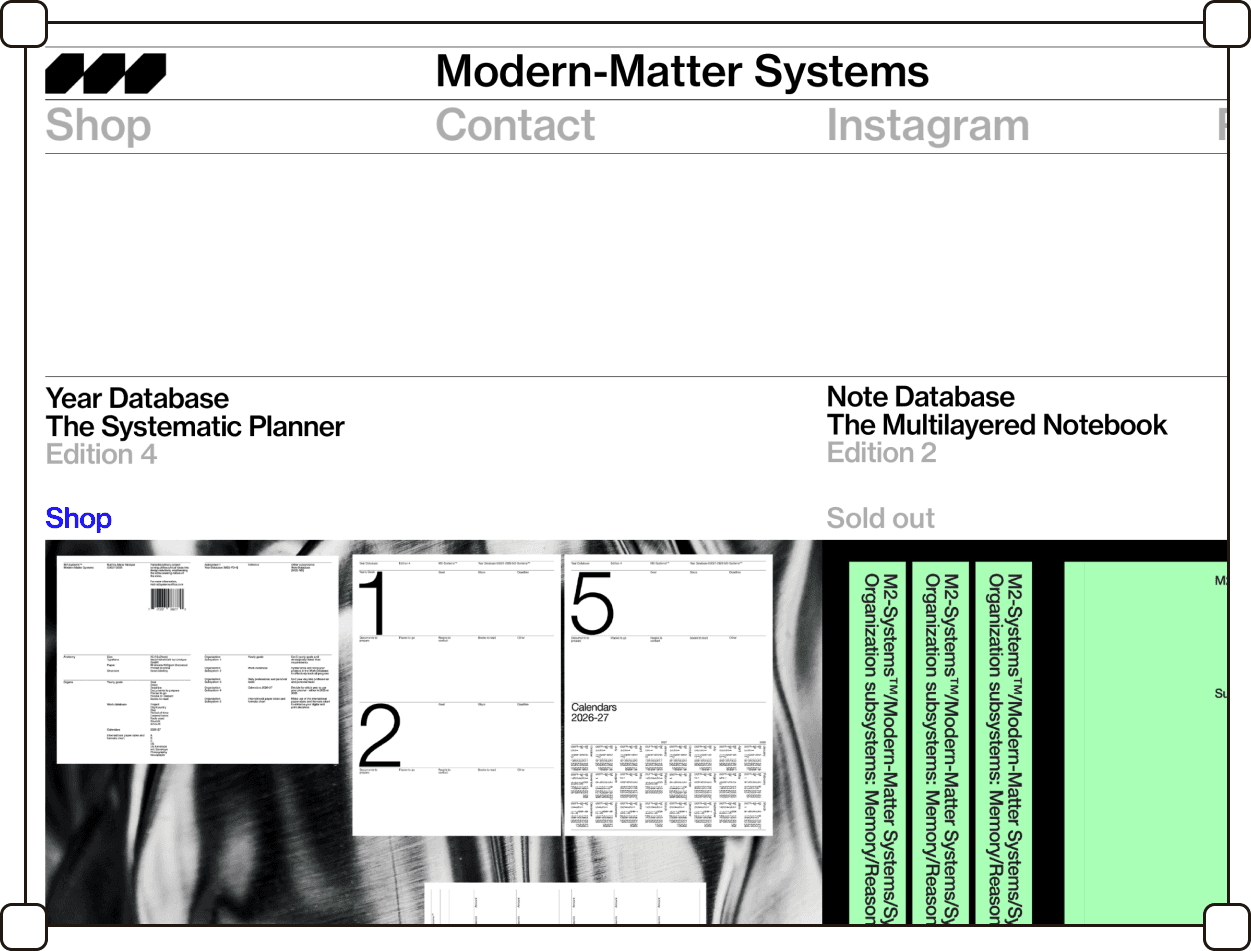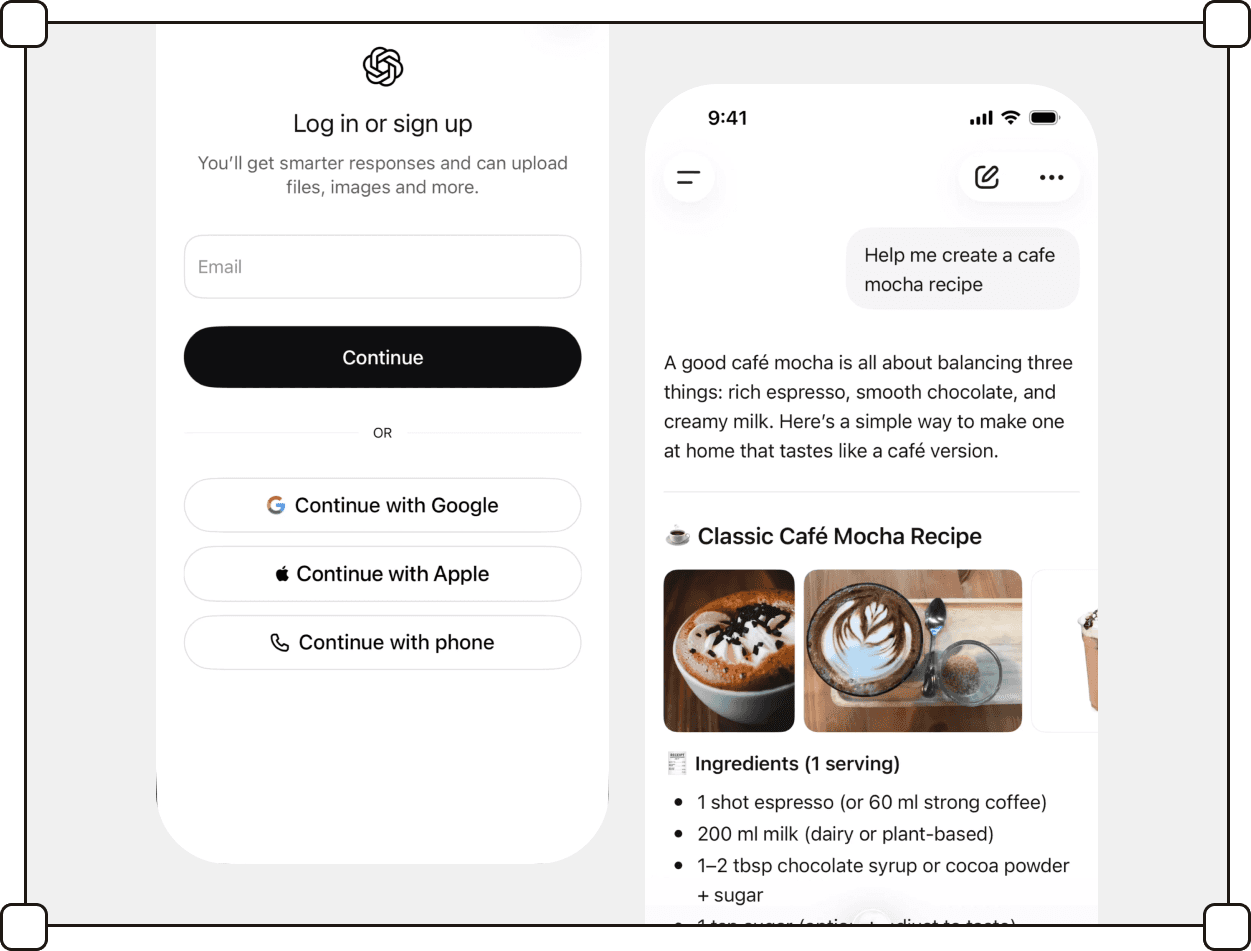


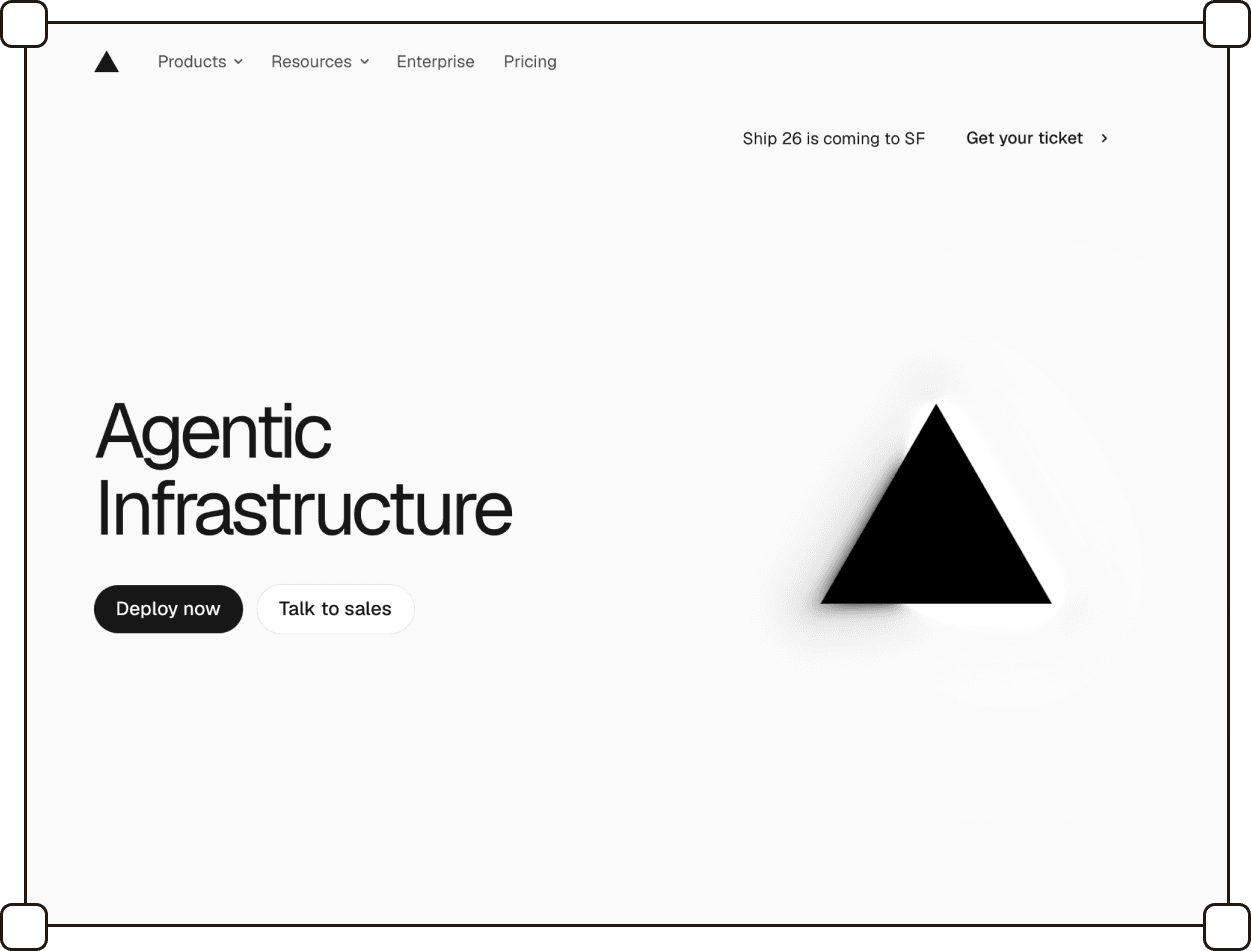
Monochromatic, sans-serif, no visual noise: an interface that gets out of the way of whatever it's running.
Intro
This style is rooted in the realm of flat design: it lacks skeuomorphic textures or shadows that make buttons appear as physical objects. Instead, flat surfaces and geometric shapes dominate.
The typography remains sans-serif, often with a technical character.
The interface element palette is reduced to achromatic tones: black, white, shades of gray; accent colors are absent or kept to an absolute minimum. When colors do appear, they are mostly in illustrations, backgrounds of individual sections, or contrasting photographs.
ChatGPT is one of the most widely recognized example here, and with the spread of conversational interaction patterns, this style has gained popularity.
Summary
listed
Sep 2026
Also known as
Mono UI, Technical Minimal
Sources
landbook.com, mobbin.com
Typography
Type is sans-serif almost without exception — neutral grotesques and geometric faces (Inter, Söhne, Helvetica and their relatives) chosen for legibility rather than personality. Weight and size carry the hierarchy; there is no change of typeface to signal a heading. Serifs are rare enough that their appearance reads as a departure from the style.

Color palette
The interface itself is achromatic: black, white, and a scale of grays between them, with no hue in the chrome. Accent colour exists but is rationed — one tone, used for a primary action or a single point of contrast, rarely more. Where colour does appear in volume it lives outside the UI proper: in illustrations, in the background of an individual section, or in a photograph set against the gray.

Illustrations
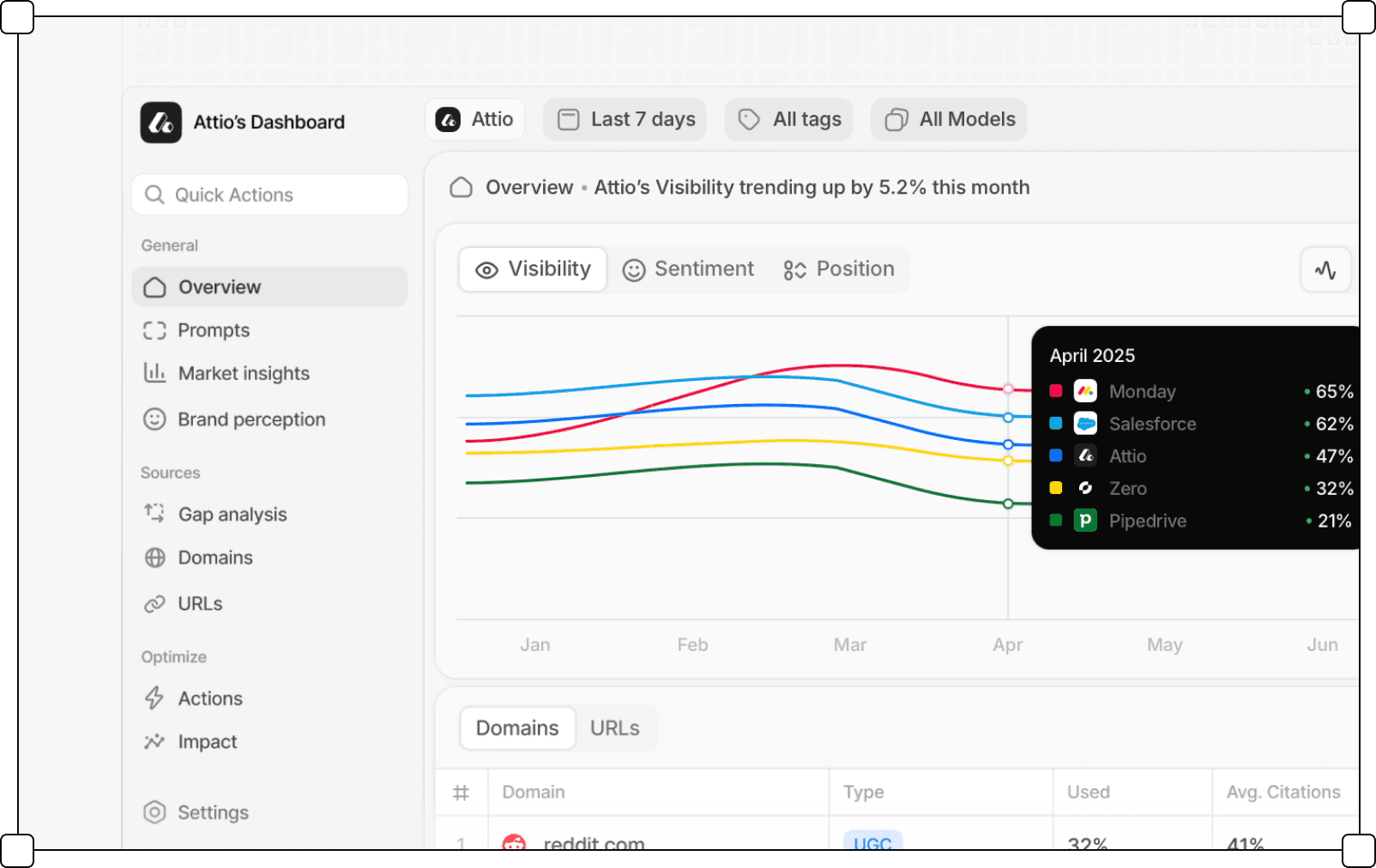
Hand-drawn or character illustration is almost absent. In its place, the product illustrates itself: cropped fragments of the real interface — a chat window, a settings panel, a cursor mid-action — are shown as the visual content. To keep these from disappearing into the gray, they are often set against a saturated or photographic background, which is where most of the colour in the style ends up.

Corner rounding
Containers and cards carry a small radius — enough to take the hardness off a corner, not enough to read as soft. Buttons, tags, and input fields are a different matter: they frequently go fully rounded, pill-shaped, producing a contrast between a strict, near-rectangular layout and rounded interactive elements.

Gradients
Gradients work as accents. The interface chrome stays flat; gradients appear as backgrounds behind product screenshots and interface fragments, giving a monochrome UI something to sit against. They tend toward soft, multi-hue blends — the one place in the style where colour is allowed to be generous.

Borders
Borders are thin — 1px — and only a step or two darker than the surface they sit on. They outline inputs, cards, and panels without asserting themselves; from a distance they nearly vanish, and the layout appears to hold together on its own.
Separators
Sections are divided by fine horizontal rules in light gray, and occasionally by a faint visible grid — the kind popularised by Vercel — running behind the content. Both stay well below the contrast of the text, so the structure is legible without competing with what it structures.
Containers
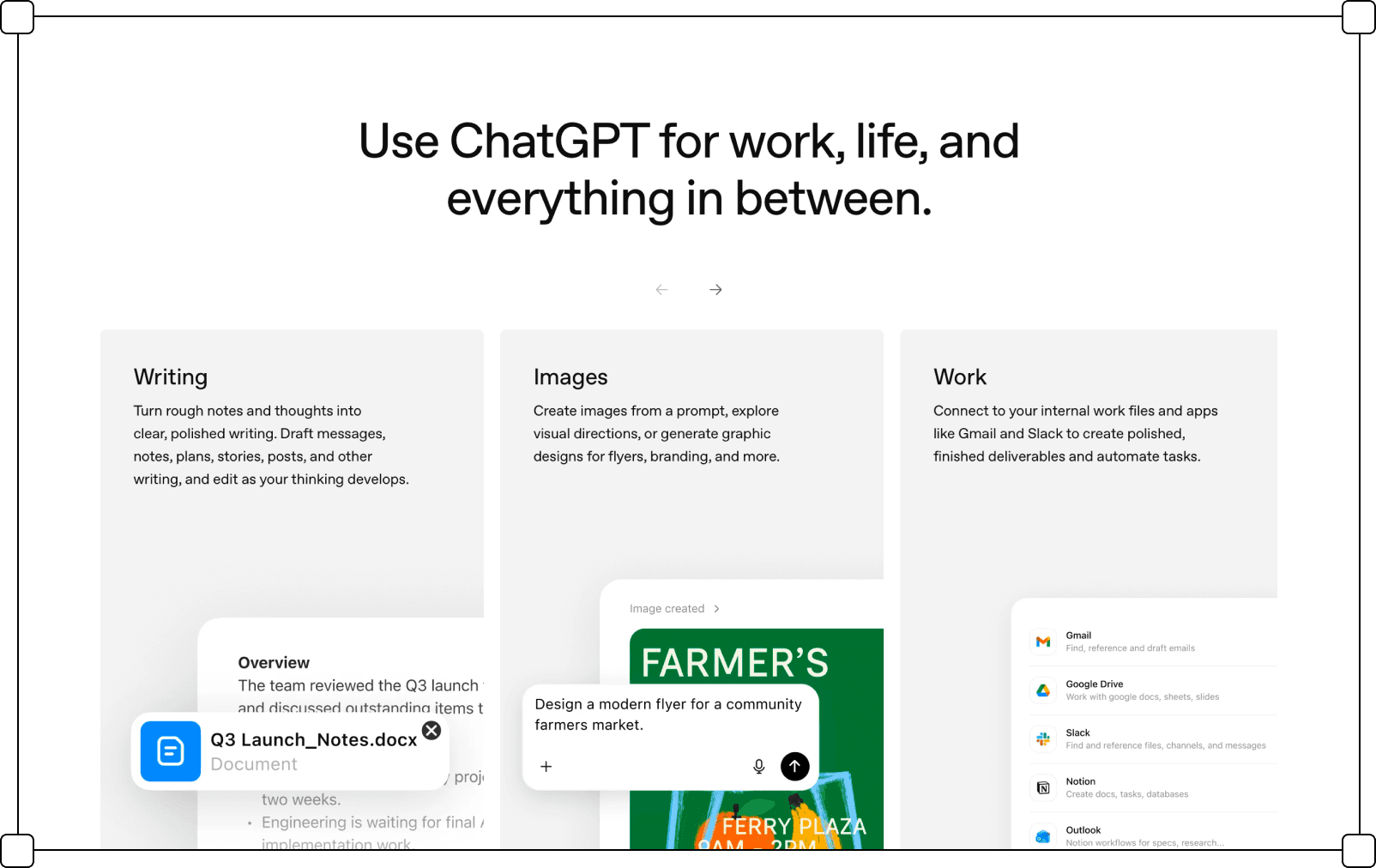
Containers are flat planes: a fill, a border, and content, with no bevel, texture, or simulated material. Nesting is shallow — one or two levels — and depth between containers is expressed by fill value (white on light gray, or the reverse) more than by any three-dimensional cue.
Transparency
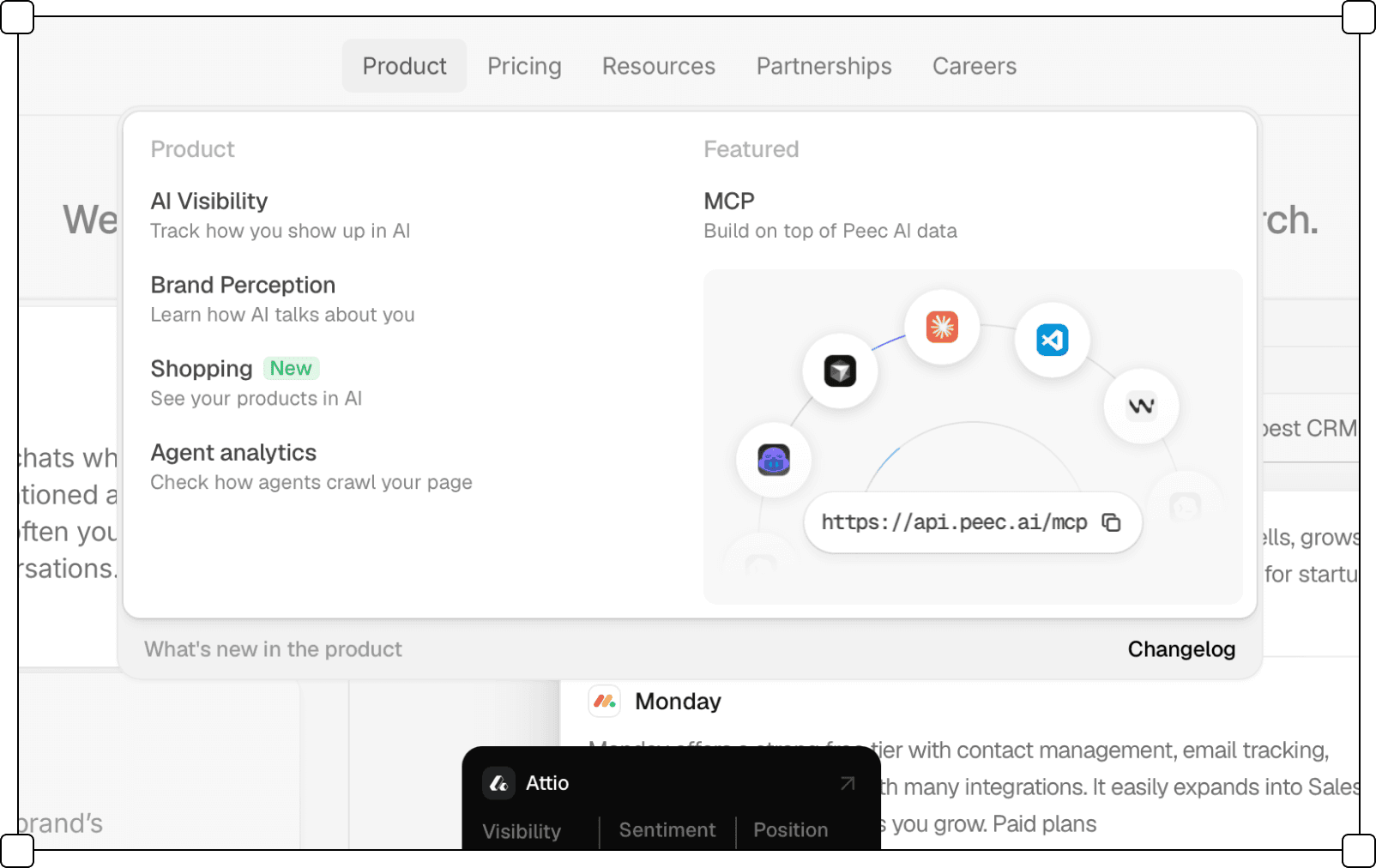
Transparency is used selectively, in overlays rather than in the base layout. Mega-menus, dropdowns, and floating panels sometimes take on a glass-like treatment — a semi-transparent fill that lets the page show through beneath. It is applied to a handful of elevated components, not to the interface as a whole.

Blur
On translucent overlays it works as backdrop blur, softening whatever sits beneath a menu or panel. In illustrations and product shots it appears as progressive blur — content fading out of focus toward an edge — used to crop an interface fragment without a hard cut.

Shadows
Shadows are present but restrained — a wide, low-opacity blur under floating elements such as dropdowns, modals, and cards that need to read as sitting above the page. They suggest elevation without a hard edge or defined light source, so the flatness of the base layer holds even as some elements lift off it.
Iconography
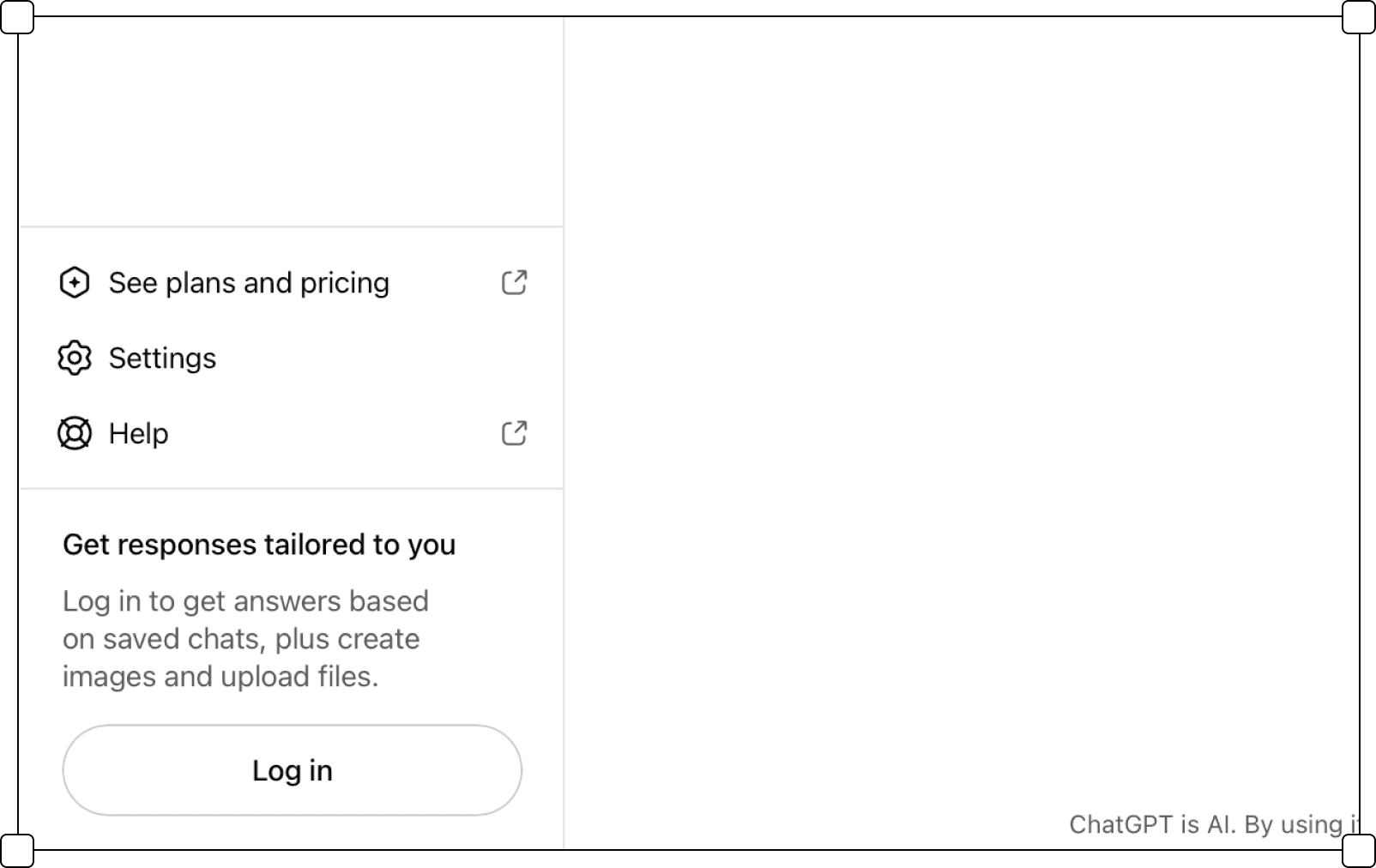
They match the stroke of the type, stay small, and are almost always monochrome, taking their colour from the text they sit next to. Filled icons appear mainly to signal an active or selected state.